New release · Guitar to MIDI

Polygraph

Every note, on the record.

Real-time polyphonic guitar to MIDI from the guitar you already own. One cable, no hex pickup. Chords come out as chords, bends follow the string, and a re-pluck retriggers the note.

$148

  • One cable

    Standard electric guitar, no hex pickup

  • Chords, bends, re-plucks

    Polyphonic, in real time

  • MIDI out

    Chords on channel 1, MPE bends in Lead mode

  • VST3, AU, CLAP

    Plus Standalone

See it track

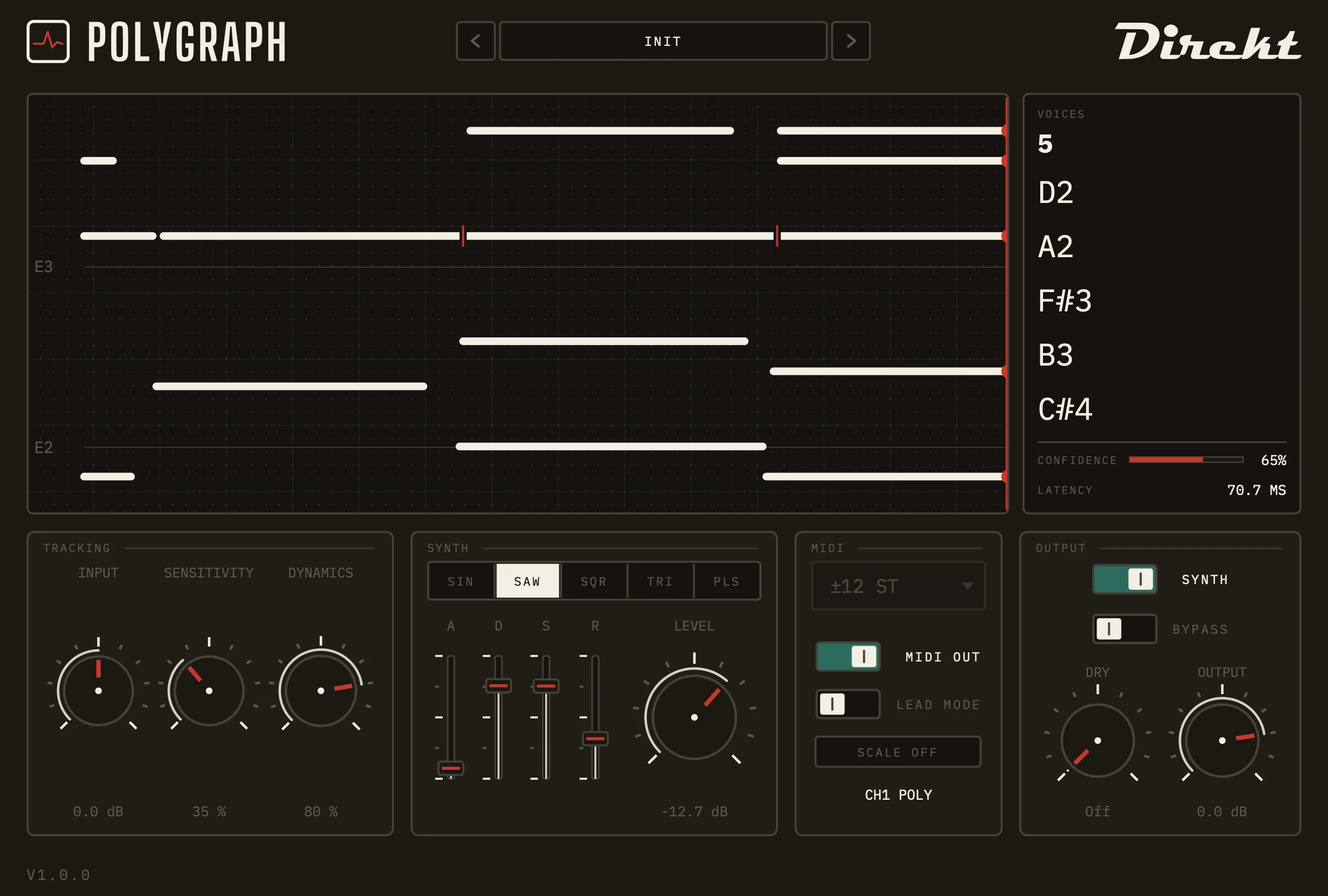
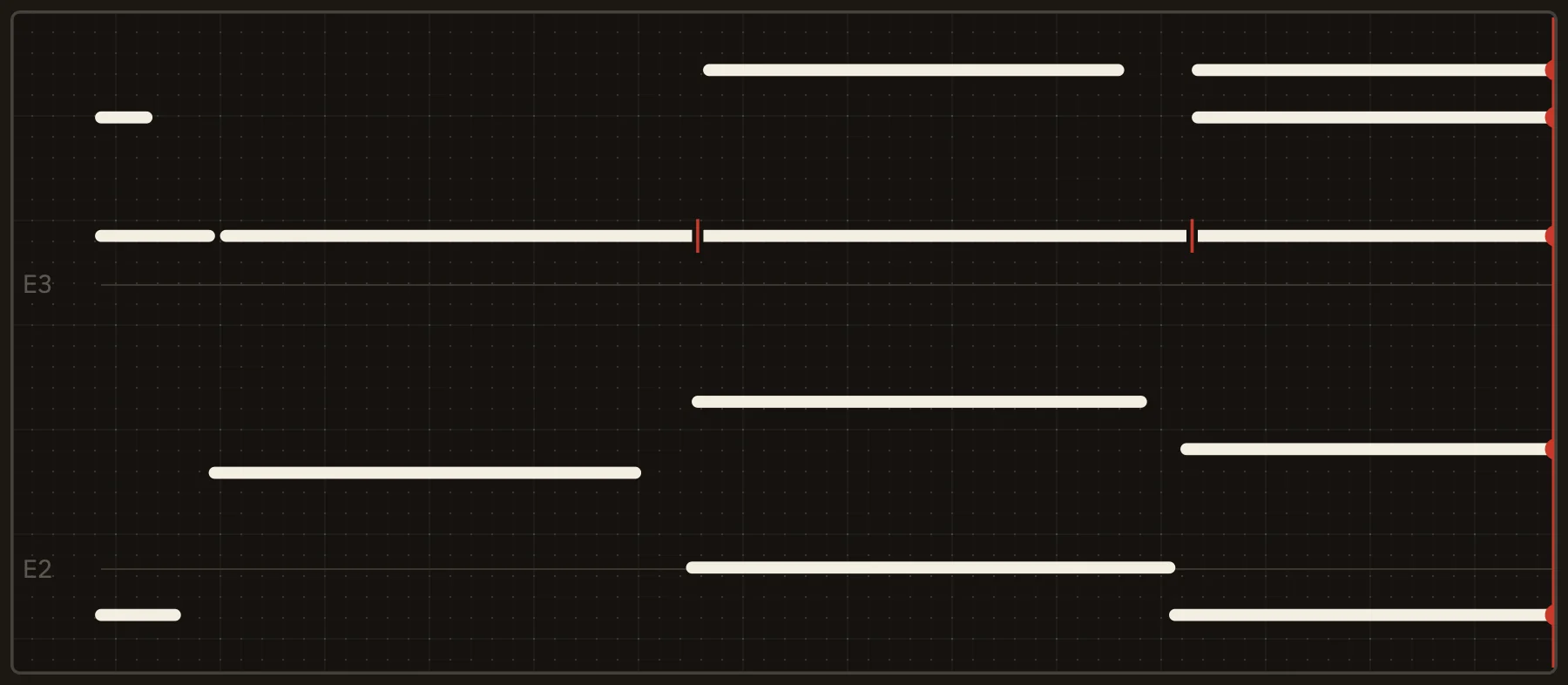
The chart draws every note as it is played. A red tick marks each re-pluck, and the readout beside it counts the voices.

Polygraph in Ableton Live: a guitar track in, MIDI out to a synth. With sound; plays from YouTube.

One window, nothing hidden

Everything Polygraph decides is on screen while you play, so you can tune the tracking by eye and by ear.

The Polygraph plugin window: a strip chart and readout across the top, with TRACKING, SYNTH, MIDI and OUTPUT panels along the bottom.
  • Strip chart

    A recorder-style chart on dotted paper. It auto-ranges to the notes you play and marks each re-pluck with a red tick.

  • Readout

    Voice count, the notes sounding right now, a confidence bar and the current latency.

  • Tracking

    Three dials: INPUT level, SENSITIVITY and DYNAMICS, which sets how much pick attack drives velocity.

  • Synth

    A monitoring synth with sine, saw, square, triangle and pulse waves and an ADSR envelope.

  • MIDI

    MIDI out, Lead mode for single notes with pitch bend, the bend range and Scale Lock.

  • Output

    Synth and bypass switches, a dry-signal level and a master output level.

What it does

Plug in the guitar you already own, put Polygraph on the track and play.

Polyphonic tracking

Chords and bends, as MIDI

Open chords, let-ring passages and single-note lines all come out as MIDI. The polyphonic tracker copes with the detuned unisons and beating partials of real strings that simple pitch trackers lose.

The readout shows how many voices are sounding and which notes they are, with a confidence bar that tells you when the signal is getting in the way. Chords go out as notes on channel 1. For solos, Lead mode follows one note at a time and sends its bends and vibrato as pitch bend, as MPE. The engine runs on your own computer; nothing leaves it.
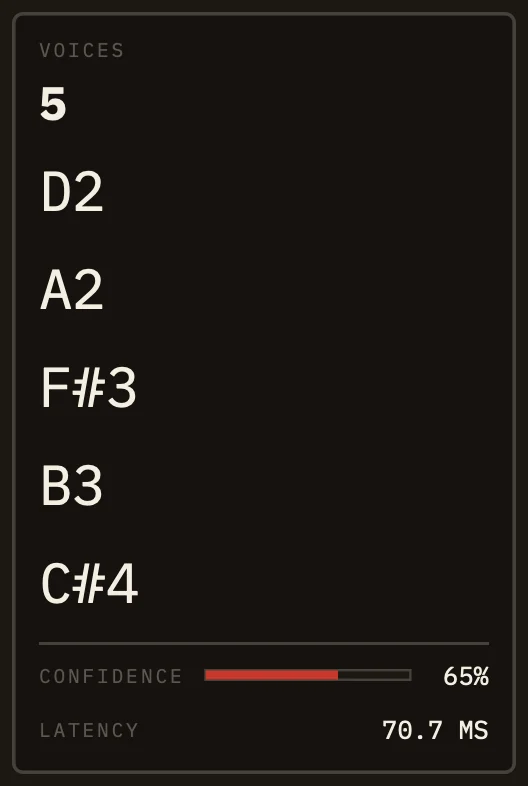
The Polygraph readout panel showing the voice count, the notes sounding, a confidence bar and the latency.

Re-pluck detection

A re-pluck retriggers the note

Pick a ringing string again and Polygraph ends the note and starts a new one, instead of smearing the two together. On the chart that is a short break in the trace with a red tick over it.

Each tick is a real note-off and note-on, so the synth you are driving re-attacks at that point too. The chart auto-ranges to what you play, so a low E and a high A both stay in view.

The Polygraph strip chart: notes drawn as pen traces on dotted paper, with red ticks where a sounding note was picked again.

Monitoring synth

Hear it before you route it

A simple internal synth lets you hear the tracking while you set it up, before anything is wired to the MIDI output. Choose sine, saw, square, triangle or pulse, shape it with attack, decay, sustain and release, and set its level.

For the real sound, send Polygraph's MIDI to any synth, sampler or notation app in your DAW.

Monitoring synth waveforms and envelopeFive waveform shapes: sine, saw, square, triangle and pulse, above an attack, decay, sustain, release envelope.SINSAWSQRTRIPLSADSR

Latency

Polygraph looks about 70 ms ahead before it commits to a note, which is how it tells chords and bends apart reliably. That makes it a tool for recording MIDI first and monitoring live second.

The host shifts recorded MIDI back by the latency Polygraph reports, so the note lands where you picked.

Recording MIDI: on the beat

Polygraph reports its look-ahead to your DAW as plugin latency. Your host compensates for it, so recorded MIDI lands where you played it.

Live monitoring: about 70 ms late

Listen to the internal synth, or to a soft synth fed live from Polygraph, and each note arrives about 70 ms after you pick it. Pads, chord beds and sustained parts feel natural. Fast single-note lines do not, so monitor your own guitar sound and let Polygraph write the MIDI.

The look-ahead is fixed; there is no low-latency mode in 1.0. For the best tracking, feed Polygraph a clean signal from before your amp or amp sim, because hum and heavy distortion lower its confidence.

Specs and requirements

What you need, and what you get.

Polygraph specifications and system requirements
Plugin formatsVST3, AU (macOS), CLAP and Standalone
macOS13.4 or newer for full tracking, Apple Silicon and Intel. Older macOS loads Polygraph but runs a simpler fallback tracker, and the chart says so.
WindowsWindows 10 or 11, x64. VST3, CLAP and Standalone.
Linuxx64, supplied as a zip. VST3, CLAP and Standalone.
InputMono or stereo guitar signal (stereo is summed to mono). Best from a clean DI, before any amp sim.
MIDI outputChords as notes on channel 1, without pitch bend. Lead mode: one note at a time with pitch bend, sent as MPE, bend range ±2 to ±48 semitones. Scale Lock snaps every note to a key and scale.
LatencyAbout 70 ms of look-ahead, reported to your host as plugin latency
CPURoughly a third of one core per instance on a modern machine
PrivacyTracking runs locally on your computer. Your audio never leaves it.
Licence7-day free trial, activated in the plugin. Purchase through the DirektDSP store.
InstallersmacOS: signed and notarized by Apple. Windows: not yet code-signed, so SmartScreen may warn (choose More info, then Run anyway).

Questions guitarists ask

Short, straight answers.

Do I need a hex pickup or a special cable?

No. Polygraph works from the signal of a standard electric guitar: one cable into your audio interface, Polygraph on the track. There is no divided pickup and no breakout box.

Which guitars and pickups work best?

Any standard electric guitar. A clean, moderately loud signal tracks best, so feed Polygraph from before your amp or amp sim. Single-coil hum and heavy distortion lower the confidence reading; a humbucker, a hum-cancelling pickup position or a noise gate ahead of Polygraph helps.

How much latency does it add?

About 70 ms of look-ahead. Polygraph reports it to your DAW, so recorded MIDI lands on the beat. Monitoring live through the internal synth feels late for fast lead playing; pads and chord beds are fine. There is no low-latency mode in this release.

How much CPU does it use?

Roughly a third of one core per instance on a modern machine. One or two instances are comfortable. Record the MIDI and remove the plugin rather than leaving one on every guitar track.

Does it support MPE?

Yes, in Lead mode: Polygraph follows one note at a time and sends it as MPE, so bends, vibrato and slides come through as pitch bend, and it sets up an MPE instrument by itself. A synth without MPE works too, set to receive on all channels in mono or legato mode. With Lead mode off, chords go out as notes on channel 1 without pitch bend, which works with any synth, sampler or notation app.

How does the free trial work?

Polygraph has a 7-day free trial that you activate inside the plugin, so you can try it with your own guitar and interface before you buy.

Does it run on Linux and Windows?

Yes. Polygraph runs on Windows 10 and 11 (x64) and on x64 Linux, as well as on macOS 13.4 or newer. The Windows installer is not yet code-signed, so SmartScreen may warn when you run it. The macOS installer is signed and notarized by Apple.

Is my audio sent anywhere?

No. Tracking runs inside the plugin on your own computer, and nothing leaves it.

Try it with your own guitar

Start the 7-day free trial, or buy Polygraph now. Plug in, put it on the track and play.

All DirektDSP products